What changes when an agent can read your project?
Cloudflare’s sandbox guide demonstrates an important separation: code can call an authenticated API while the token stays in a trusted Worker outside that code’s environment.
Compare that with a coding agent running beside your production credentials. If its tools can open the file or inspect the process environment, a filename does not keep the account out of reach.

AI agent secrets management means controlling both credential access and the operations an agent can request. A useful design lets routine work finish while keeping broader authority outside the agent’s control.
Here is what that boundary needs, how to build it in six steps, and how to test whether it holds. The example is an order-status assistant; the same questions apply to many business integrations.
Is a secret manager enough?
A .env file is a configuration mechanism. A secret manager stores and distributes credentials under an access policy. A broker can perform a permitted operation without giving the caller the underlying credential. These solve different parts of the problem.
If the agent can ask the secret manager for an administrator token, moving that token out of a file has not removed the agent’s authority. Likewise, putting a broker beside the agent is insufficient if agent-controlled code can read its memory, alter its policy or replace its executable.
GitHub’s ignore-file documentation describes keeping files out of commits. Those rules remain useful for repository hygiene. They do not create operating-system permissions around a local file. A tool-specific exclusion may block that tool, but you must check whether shell commands, child processes or another available tool can still read the same content.
For a business owner, the practical question is straightforward: can a routine support task use the same authority as a production administrator? Require evidence that it cannot. A reassuring instruction in the prompt is not that evidence.
How do you keep secrets outside an agent’s workspace?
Here’s how to design the boundary in six steps:
1. Map what the agent can actually reach
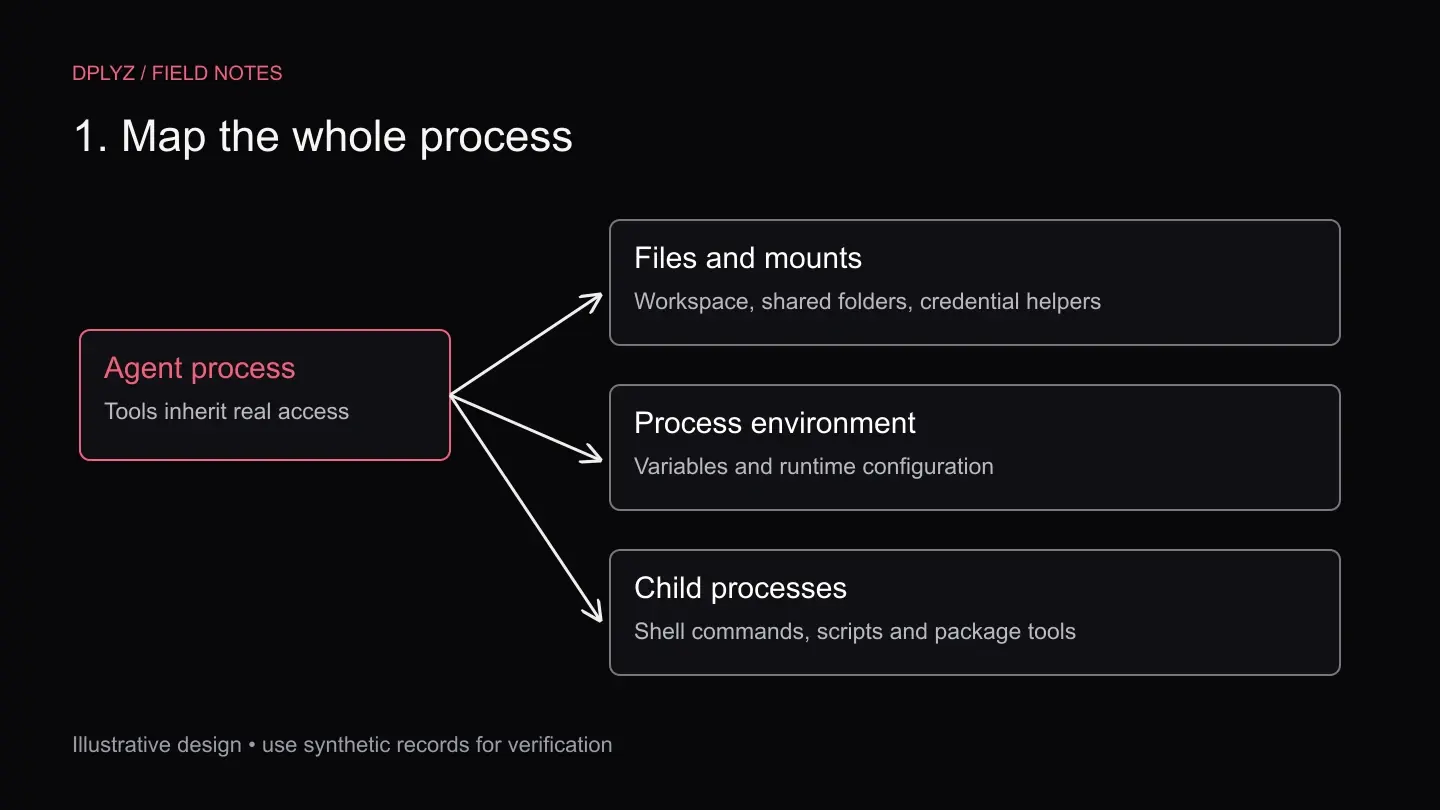
Start with the process running the tools, rather than the model’s advertised capabilities. Identify its operating-system identity, readable directories, mounted volumes, inherited environment and network access. Include credential helpers, package scripts and the subprocesses launched during ordinary work.
Build this map with synthetic values in a disposable environment. Record which test values appear in tool results, error messages or generated artifacts. Do not paste real credentials into a prompt to check whether the agent notices them. The objective is to understand the access path, not create another copy of a secret.
In our hypothetical order-status workflow, the agent needs the requested order identifier and a permitted status lookup. It does not need the CRM export key, payment account credentials or a production database connection. Write the distinction down so the implementation has something concrete to enforce.
Assign an owner to every credential on the map. An integration left behind after a trial can retain authority long after anyone remembers why it exists. Include how access is withdrawn and which service stops working when it is withdrawn.
2. Define the operation before issuing credentials
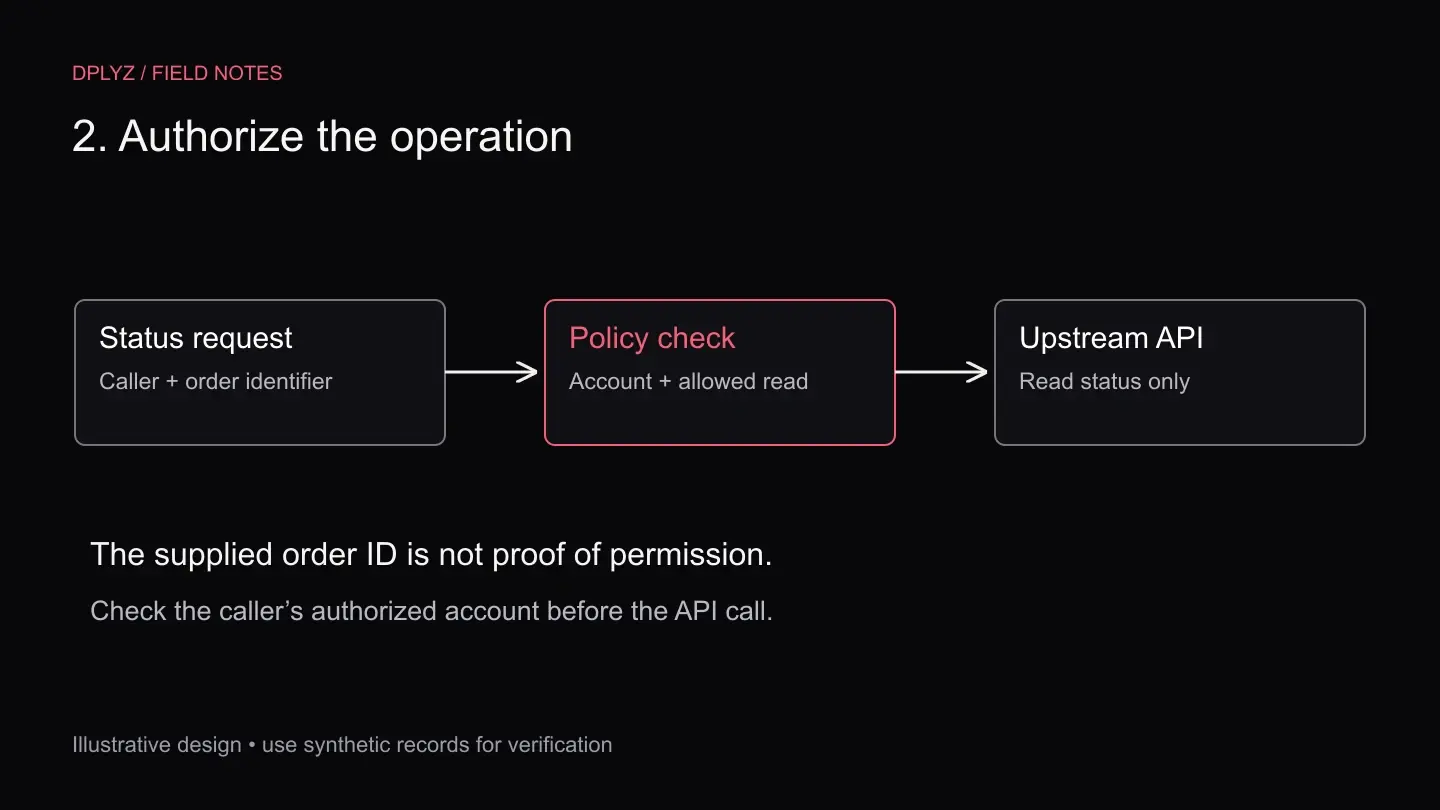
Design a narrow request such as “read delivery status for this authorized order.” Specify the input fields, the returned fields and the user context required. Avoid a generic “call this URL with our token” interface when one operation is sufficient.
The trusted service must establish the caller’s identity and permitted account. An order ID supplied by the agent is not proof that the caller can access that order. Check authorization against a trusted account relationship before contacting the upstream system, and repeat that check on every request.
OWASP’s excessive-agency guidance separates excessive functionality, permissions and autonomy. That distinction helps here: a narrowly named tool can still be dangerous if its implementation has broad permissions or performs consequential changes without approval.
Use a read-only upstream identity when the job is read-only. If the provider offers only a broad token, compensate with a tightly constrained gateway and treat that gateway as a sensitive service. Its compromise would expose broader authority than the agent-facing interface suggests.
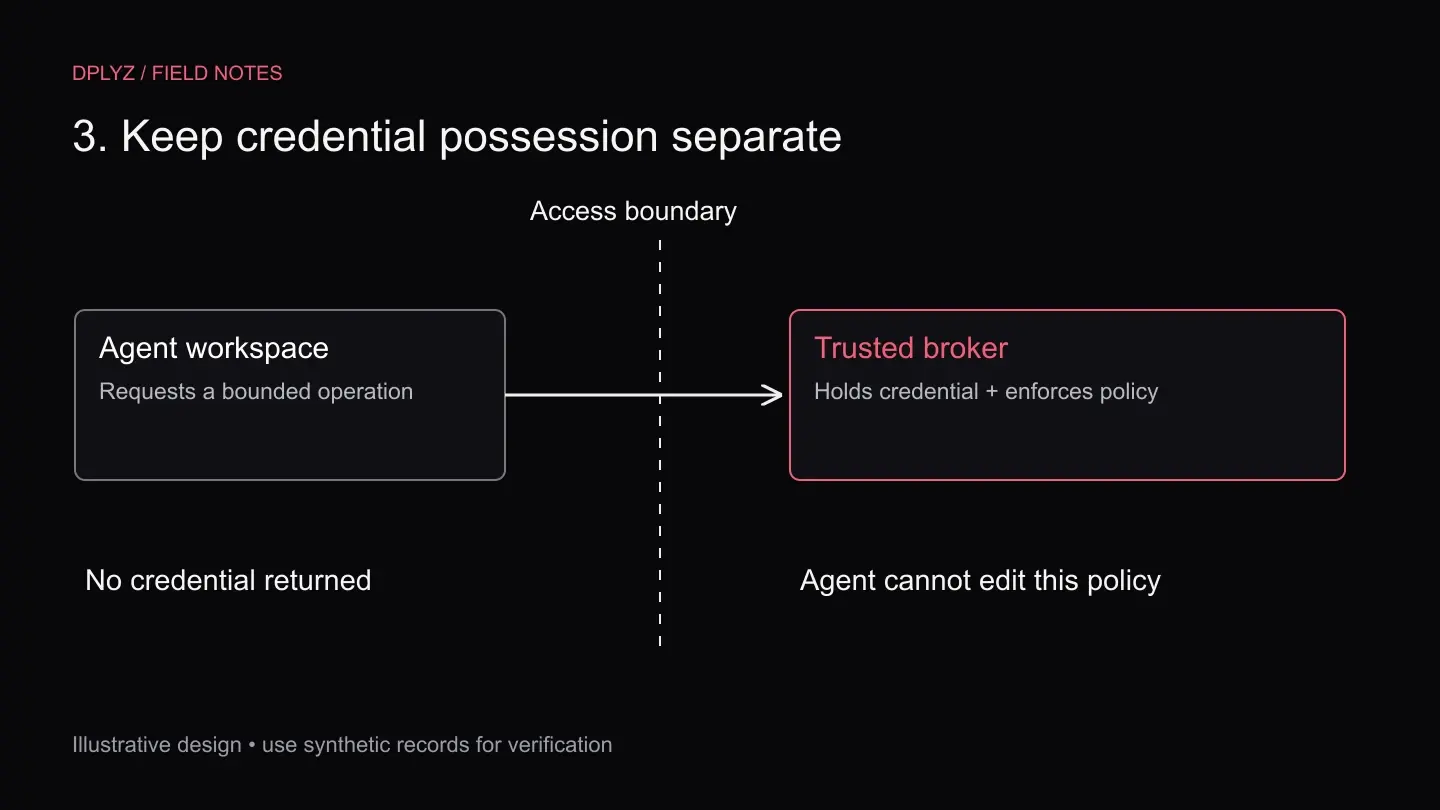
3. Put credential possession behind a real boundary
Keep the production credential in a service the agent cannot inspect or modify. The service obtains the credential, performs the approved call and returns the minimum useful result. The agent receives an operation, not unrestricted access to the secret store.
Cloudflare’s example keeps a GitHub token in a Worker. For a container, an entrypoint checks the method, host, path and query before attaching that token. Its Dynamic Worker example exposes a method for one fixed endpoint. These are concrete patterns, not a claim that deploying the sample completes your application’s authorization design.
On a local computer, a separately named process may still share the agent’s user permissions. Check the actual operating-system boundary and available inspection tools. A remote broker or an appropriately isolated service can provide separation; its configuration and administrator access still need protection.
Plan for the broker being unavailable. The assistant should retain the job, show a useful status and route unresolved work to an operator. Do not add a fallback that exposes the production key locally just to make a failing request succeed.
4. Constrain the destination and the returned data
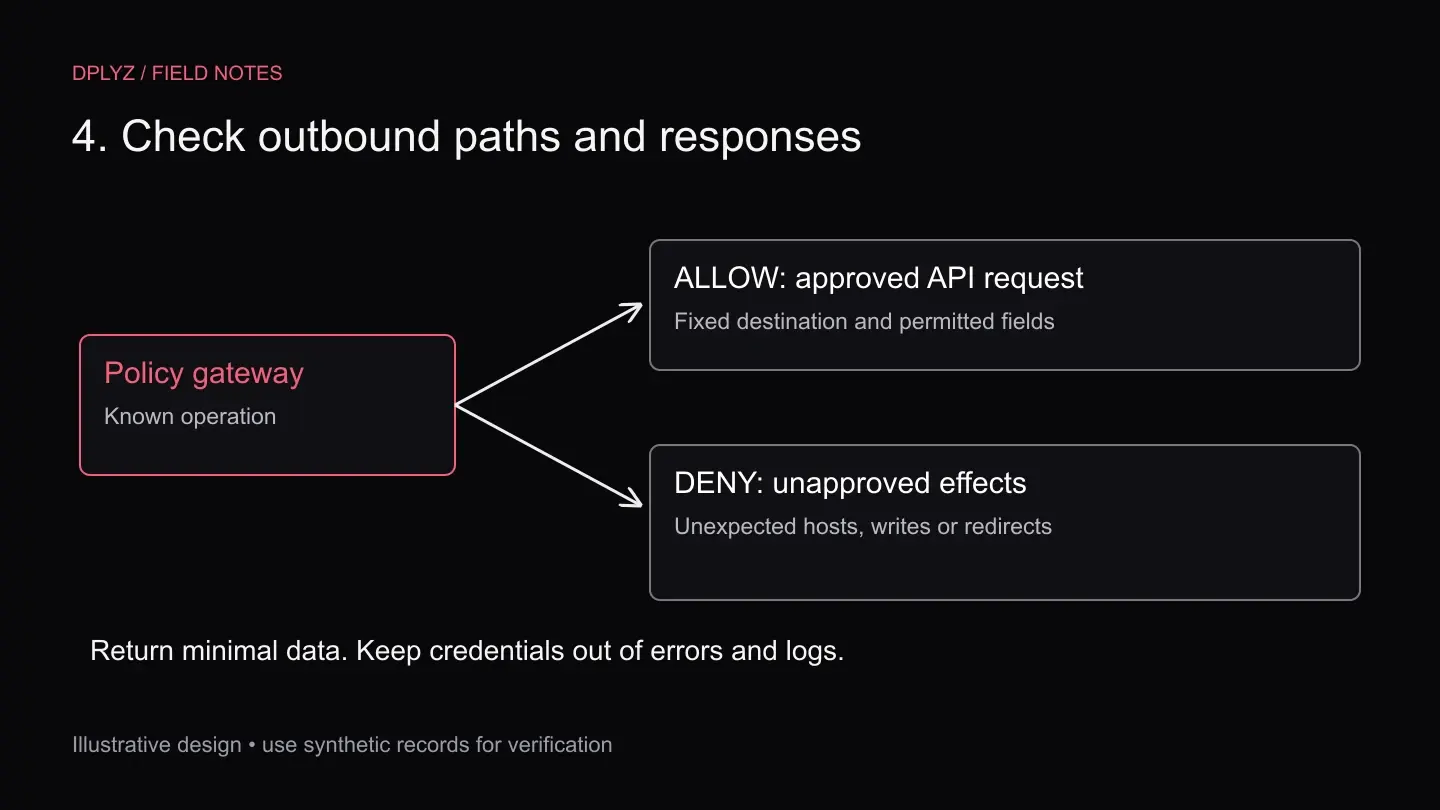
A gateway must be more restrictive than an open forwarding proxy. Bind each operation to approved destinations and validate the complete request shape. In Cloudflare’s container example, ordinary internet access is disabled and the intended hostname is intercepted. Other environments need their own enforceable network controls.
Test alternate paths, unexpected query parameters and redirects in your own test environment. A permitted first destination must not become a route to an unapproved second destination. Where redirects are unnecessary, reject them; where they are required, validate each hop and keep credentials bound to the intended upstream.
The response deserves equal attention. Return delivery status and the fields the assistant needs, rather than an unrestricted customer object. Filter errors and logs so they cannot echo authorization headers, access tokens or upstream responses containing sensitive values.
Ask what happens if the agent sends the same request through another tool. The control must cover the actual outbound paths, including command-line clients, rather than only the interface used in a demonstration. Test denials as carefully as the happy path.
5. Bound time, volume and business authority
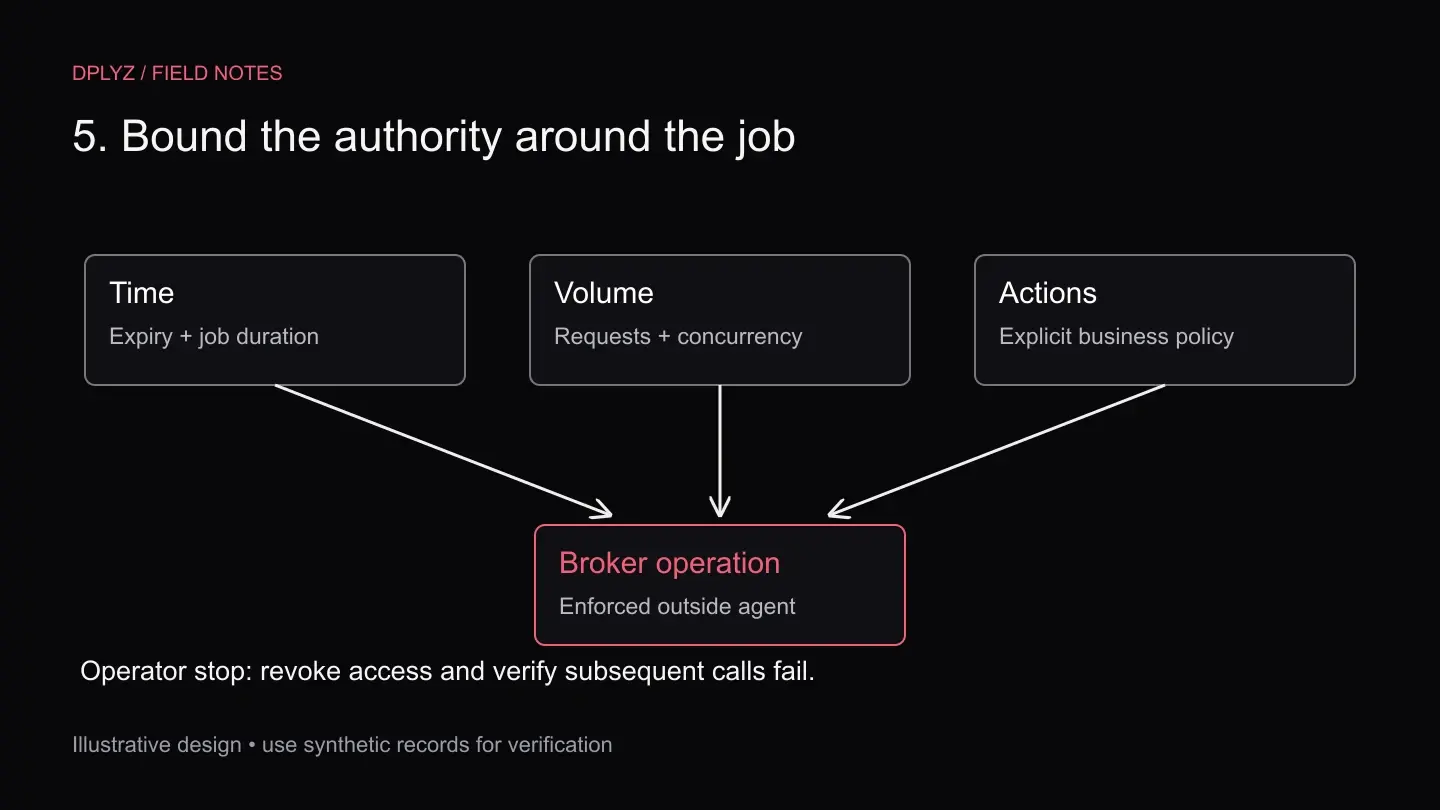
A secret that never reaches the prompt can still fund expensive or harmful operations. Define limits on request volume, concurrency and duration. Use provider-enforced spending limits where available, and verify what they actually stop. A billing alert is a notification unless the provider explicitly enforces a cutoff.
For local development, use a separate project or account with synthetic records and disposable credentials. Limit the resources those credentials can reach, shorten their lifetime where supported, and document revocation. A development label alone does not reduce the consequences of production access.
Keep approvals tied to the proposed action. Reading an order status and changing a refund are different permissions. For a consequential write, show the reviewer the affected account, the exact change and the expected effect. Do not let an approval for one order become permission to alter others.
Build a stop control outside the agent’s editable environment. An operator should be able to disable the broker identity or revoke its upstream authority while a job is running. Define how queued and in-flight requests behave; revocation does not reverse an action already accepted downstream.
6. Prove the boundary with repeatable checks
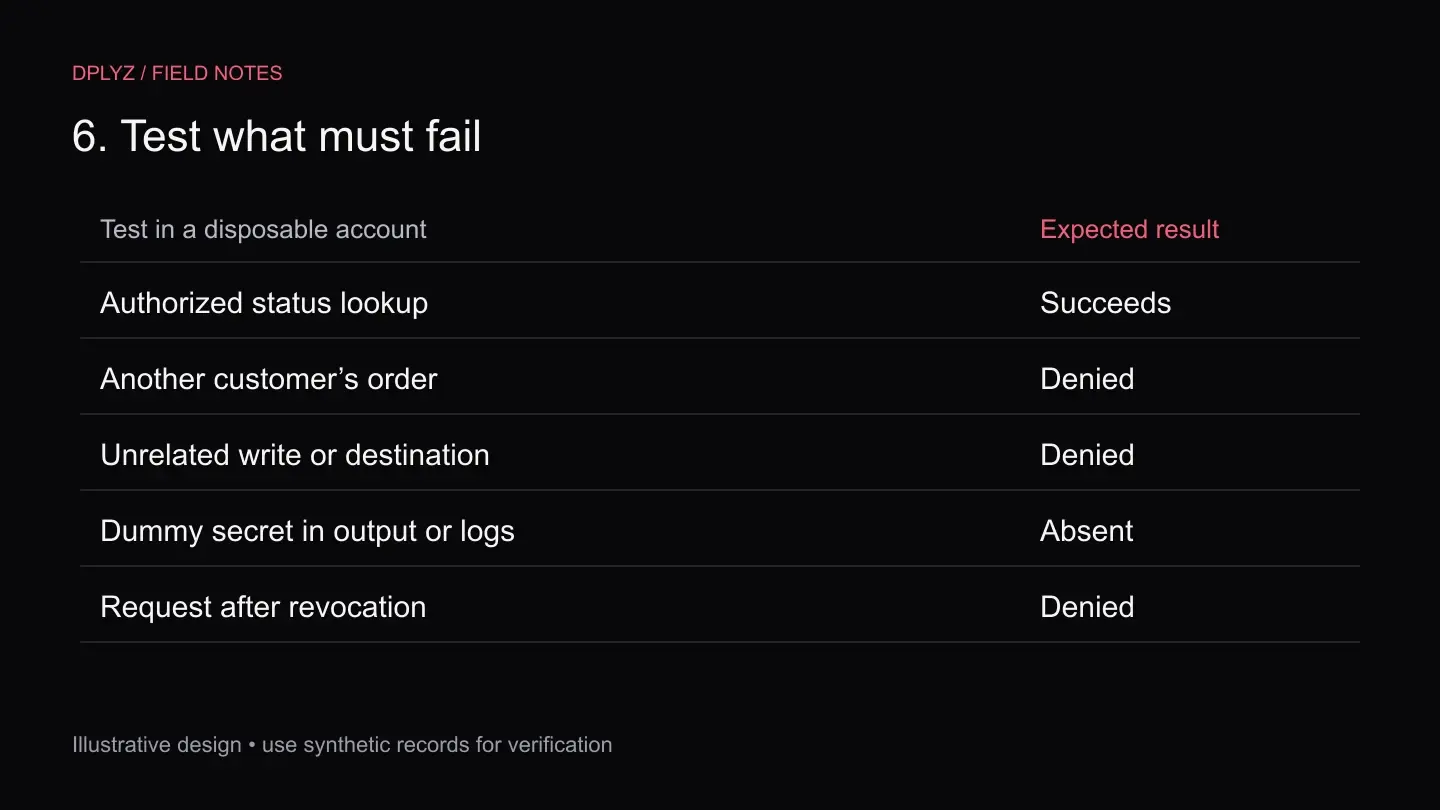
Use a test account to verify both sides of the contract: the legitimate status lookup succeeds, while another customer’s order, an unrelated write and an unapproved destination are rejected. Include an expired identity and a request made after access has been revoked.
Inspect what reaches the model, logs and stored job history. Use recognizable dummy secrets to detect accidental disclosure without handling live credentials. Check retries and failures as well as successful responses; diagnostic output often contains more information than the normal result.
Re-run these checks after changing tools, runtime permissions, upstream APIs or the broker policy. Save the tested versions and the observed outcomes. A design diagram cannot tell you whether the latest shell tool gained access to a newly mounted directory.
Include the operator’s work in acceptance testing. Can someone find a denied job, distinguish an expired credential from an invalid request, and resume permitted work without broadening access? A control that routinely strands staff will invite a shortcut. Make recovery part of the design.
What should you measure after launch?
Track completed permitted jobs alongside denied requests, retries and escalations. A rising denial rate can signal an attack, but it can also mean an upstream schema changed or a legitimate workflow no longer fits the policy. Preserve enough nonsensitive context for an operator to tell the difference.
Measure the time needed to revoke a test identity and confirm that subsequent requests fail. Check whether active jobs notice the change and whether cached permissions outlive the intended window. Document those limits instead of promising instant revocation everywhere.
Keep cost ownership visible. Attribute upstream usage to the operation and environment, so a retry loop in a development integration does not disappear inside a shared monthly bill. Cap repeated failures and give the operator a clear reason when the system stops.
The release standard is a workflow that succeeds with bounded authority and fails in a way the team can understand. Keep those checks beside the integration. They should survive a change of model, agent framework or engineer.
FAQs
Do we need to stop using .env files entirely?
No. They can remain useful for nonsecret configuration and appropriately scoped local development values. The important decision is which processes can access sensitive credentials and what those credentials authorize. Renaming or relocating a file without changing access does not establish a boundary.
Does a secret manager prevent an AI agent from seeing secrets?
Only if the surrounding access policy prevents the agent and its tools from retrieving them. If the agent can read the secret directly, it still possesses the credential. A broker can instead perform a narrowly authorized operation without returning the key.
Does a container solve the problem?
A container is one part of the execution environment. Review its mounts, runtime privileges, network access and credentials. A perfectly isolated process can still misuse a powerful API token it was intentionally given. Credential policy and execution isolation need separate checks.
Should every request require a human approval?
No. Routine, bounded reads can proceed under an enforced policy. Reserve additional approval for actions whose consequences warrant it, such as sensitive writes or changes in authority. Test that the approval applies only to the specific action presented.
Where should a business start?
Choose one integration with a clear owner and a reversible first task. Map its current access, define the smallest useful operation, and verify success and denial in a test environment. Talk with us about the agent workflow you want to put into production.
Written by the dplyz team
Senior engineers who work inside client companies to take AI from pilot to production: agentic workflows, AI integration and the platform work around them.